Access - Managed OAuth for non-browser clients
Cloudflare Access now supports managed OAuth, enabling non-browser clients like CLIs, SDKs, and AI agents to authenticate using standard OAuth 2.0 authorization code flow instead of requiring cloudflared access curl. The feature is opt-in for existing applications and enabled by default for new MCP server portals.
Cloudflare Access supports managed OAuth, which allows non-browser clients — such as CLIs, AI agents, SDKs, and scripts — to authenticate with Access-protected applications using a standard OAuth 2.0 authorization code flow.
Previously, non-browser clients that attempted to access a protected application received a 302 redirect to a login page they could not complete. The established workaround was cloudflared access curl, which required installing additional tooling.
With managed OAuth, clients instead receive a 401 response with a WWW-Authenticate header that points to Access's OAuth discovery endpoints (RFC 8414 ↗ and RFC 9728 ↗). The client opens the end user's browser to the Access login page. The end user authenticates with their identity provider, and the client receives an OAuth access token for subsequent requests.
Access enforces the same policies as a browser login; the OAuth layer is a new transport mechanism, not a separate authentication path.
Managed OAuth can be enabled on any self-hosted Access application or MCP server portal. It is opt-in for existing applications to avoid interfering with those that run their own OAuth servers and rely on their own WWW-Authenticate headers.
Note
For MCP server portals, managed OAuth is enabled by default on new portals. It remains opt-in for self-hosted applications.
To enable managed OAuth, go to Zero Trust > Access controls > Applications, edit the application, and turn on Managed OAuth under Advanced settings.
You can also enable it via the API by setting oauth_configuration.enabled to true on the Access applications endpoint.
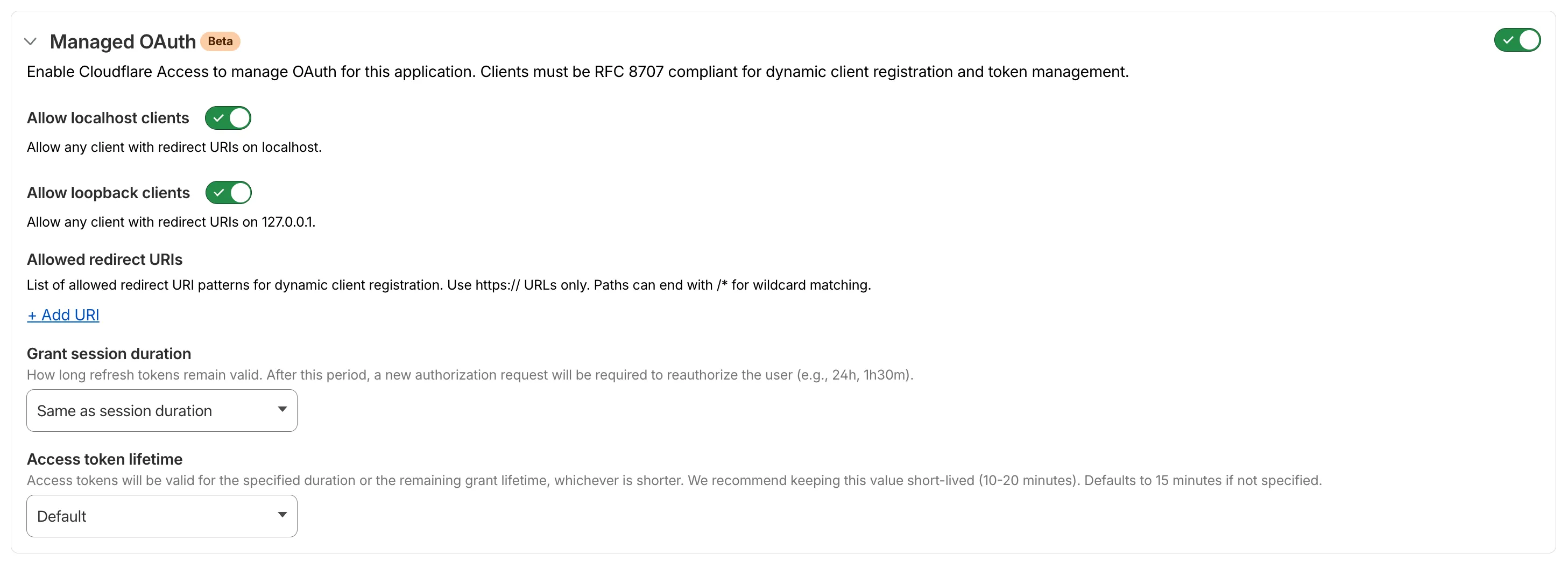
For setup instructions, refer to Enable managed OAuth.
Source: original entry ↗
More from Cloudflare
Follow Cloudflare to get its new changes in your feed and email digest.
Cloudflare One Client for macOS 2026.8.2100.0
GA release for macOS Cloudflare One Client with improved split tunnel handling that no longer briefly blocks traffic during reconnects, support for non-RFC 1918 local IPv4 networks, faster connects with lower memory use, and numerous reliability fixes across DNS, reauthentication, and client stability.
Cloudflare One Client for Windows 2026.8.2100.0
This GA release improves split tunnel reliability, adds support for non-RFC 1918 local networks, optimizes connection performance with faster reconnections and lower memory usage, and includes numerous bug fixes for DNS, registration, and network handling. The client now features a service recovery mechanism that automatically restarts on system unlock and better handles large hosts files without blocking traffic.
Cloudflare One Client for Linux 2026.8.2100.0
New GA release for Linux with improved split tunnel handling that no longer briefly blocks traffic during reconnects, support for non-RFC 1918 local IPv4 networks, faster tunnel reconnections, and lower memory usage. Includes numerous stability and reliability fixes for DNS, reconnection behavior, and crash issues.