AI Search now with granular indexing controls
AI Search adds granular controls to speed up content updates: reindex individual files without full rescans and specify which sitemaps to crawl. Users can now select specific files to reindex or limit crawling to particular sitemaps in robots.txt, reducing unnecessary rescans and improving update efficiency.
Get your content updates into AI Search faster and avoid a full rescan when you do not need it.
Reindex individual files without a full sync
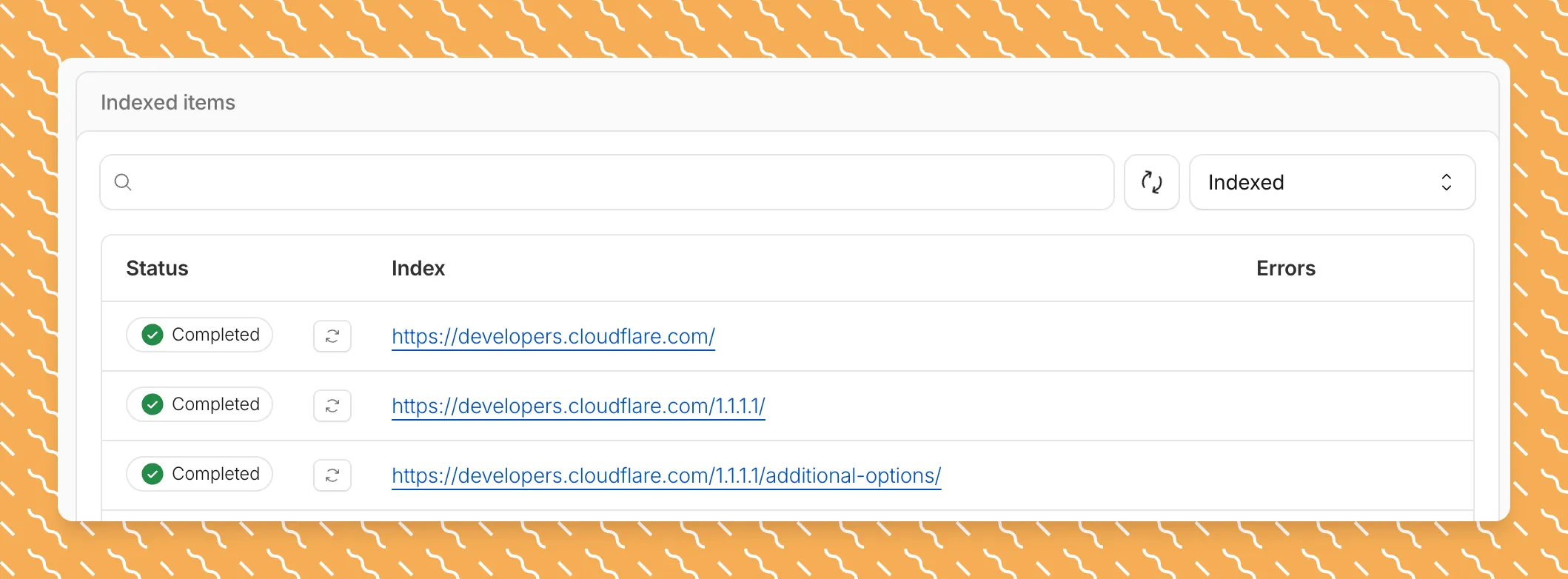
Updated a file or need to retry one that errored? When you know exactly which file changed, you can now reindex it directly instead of rescanning your entire data source.
Go to Overview > Indexed Items and select the sync icon next to any file to reindex it immediately.
Crawl only the sitemap you need
By default, AI Search crawls all sitemaps listed in your robots.txt, up to the maximum files per index limit. If your site has multiple sitemaps but you only want to index a specific set, you can now specify a single sitemap URL to limit what the crawler visits.
For example, if your robots.txt lists both blog-sitemap.xml and docs-sitemap.xml, you can specify just https://example.com/docs-sitemap.xml to index only your documentation.
Configure your selection anytime in Settings > Parsing options > Specific sitemaps, then trigger a sync to apply the changes.

Learn more about indexing controls and website crawling configuration.
Source: original entry ↗
More from Cloudflare
Follow Cloudflare to get its new changes in your feed and email digest.
Cloudflare One Client for Windows hotfix - trusted certificate chains
A new GA release for Windows Cloudflare One Client is available, addressing an issue with building trusted certificate chains.
Cloudflare One Client for macOS - Trusted Certificate Chain Fix
A new GA release of the macOS Cloudflare One Client is available. This hotfix addresses an issue with building trusted certificate chains.
Cloudflare One Client for Linux
A new GA release of Cloudflare One Client for Linux is now available. This hotfix addresses an issue with building trusted certificate chains.