Browser Run adds Live View, Human in the Loop, and Session Recordings
Browser Run now includes three new debugging and monitoring features: Live View for real-time visibility into browser sessions, Human in the Loop for human intervention when automation fails, and Session Recordings for replaying sessions after completion. These tools make it easier to troubleshoot automation issues and handle edge cases.
When browser automation fails or behaves unexpectedly, it can be hard to understand what happened. We are shipping three new features in Browser Run (formerly Browser Rendering) to help:
- Live View for real-time visibility
- Human in the Loop for human intervention
- Session Recordings for replaying sessions after they end
Live View
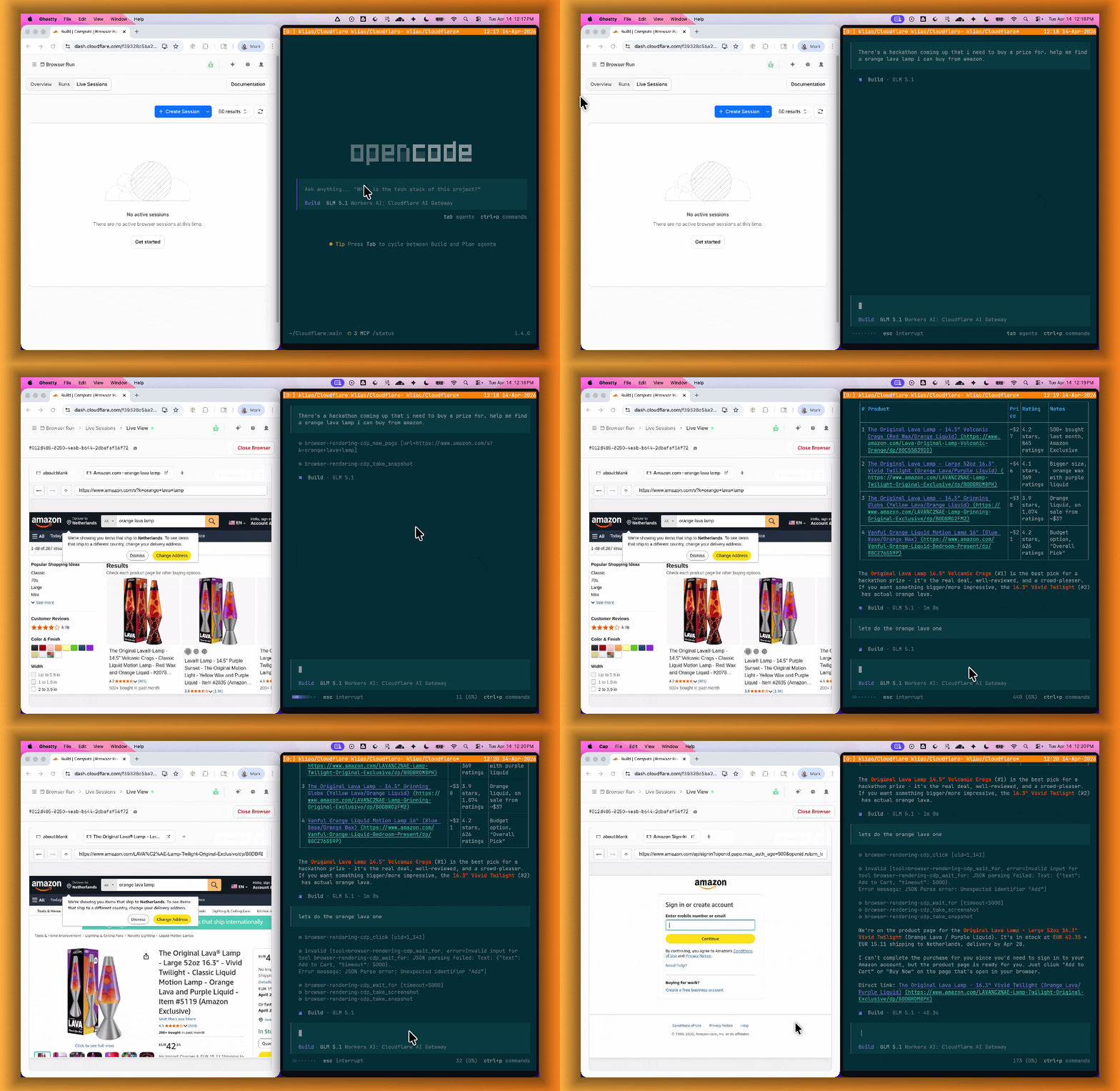
Live View lets you see what your agent is doing in real time. The page, DOM, console, and network requests are all visible for any active browser session. Access Live View from the Cloudflare dashboard, via the hosted UI at live.browser.run, or using native Chrome DevTools.
Human in the Loop
When your agent hits a snag like a login page or unexpected edge case, it can hand off to a human instead of failing. With Human in the Loop, a human steps into the live browser session through Live View, resolves the issue, and hands control back to the script.
Today, you can step in by opening the Live View URL for any active session. Next, we are adding a handoff flow where the agent can signal that it needs help, notify a human to step in, then hand control back to the agent once the issue is resolved.
Session Recordings
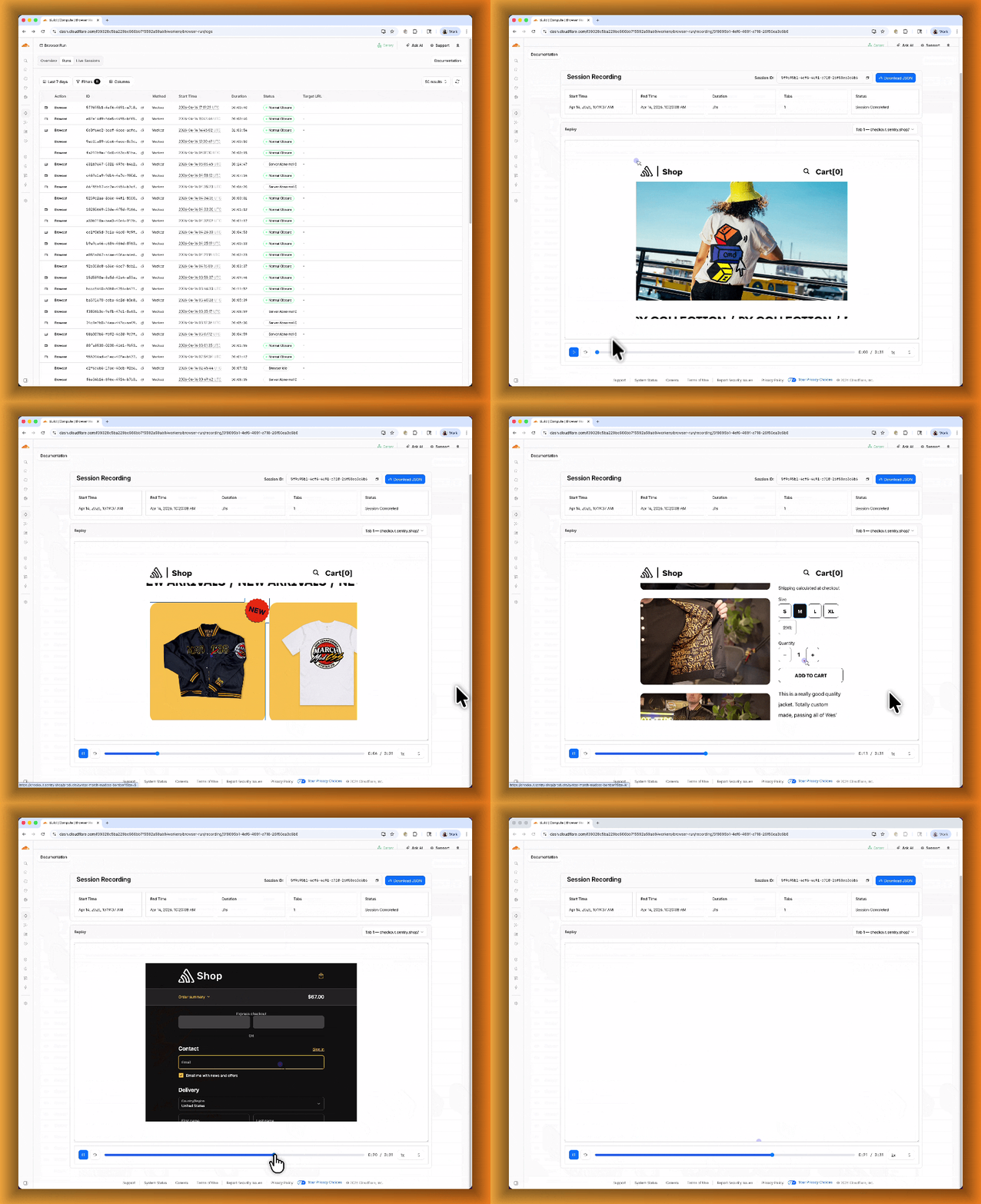
Session Recordings records DOM state so you can replay any session after it ends. Enable recordings by passing recording: true when launching a browser. After the session closes, view the recording in the Cloudflare dashboard under Browser Run > Runs, or retrieve via API using the session ID. Next, we are adding the ability to inspect DOM state and console output at any point during the recording.
To get started, refer to the documentation for Live View, Human in the Loop, and Session Recording.
Source: original entry ↗
More from Cloudflare
Follow Cloudflare to get its new changes in your feed and email digest.
Cloudflare One Client for macOS 2026.8.2100.0
GA release for macOS Cloudflare One Client with improved split tunnel handling that no longer briefly blocks traffic during reconnects, support for non-RFC 1918 local IPv4 networks, faster connects with lower memory use, and numerous reliability fixes across DNS, reauthentication, and client stability.
Cloudflare One Client for Windows 2026.8.2100.0
This GA release improves split tunnel reliability, adds support for non-RFC 1918 local networks, optimizes connection performance with faster reconnections and lower memory usage, and includes numerous bug fixes for DNS, registration, and network handling. The client now features a service recovery mechanism that automatically restarts on system unlock and better handles large hosts files without blocking traffic.
Cloudflare One Client for Linux 2026.8.2100.0
New GA release for Linux with improved split tunnel handling that no longer briefly blocks traffic during reconnects, support for non-RFC 1918 local IPv4 networks, faster tunnel reconnections, and lower memory usage. Includes numerous stability and reliability fixes for DNS, reconnection behavior, and crash issues.