Dark Mode for Zero Trust Dashboard
The Cloudflare Zero Trust dashboard now supports native dark mode across all accounts and plan types. The dashboard automatically respects your user-level system appearance settings, entering dark mode when your overall Cloudflare account is set to dark mode.
The Cloudflare Zero Trust dashboard ↗ now supports Cloudflare's native dark mode for all accounts and plan types.
Zero Trust Dashboard will automatically accept your user-level preferences for system settings, so if your Dashboard appearance is set to 'system' or 'dark', the Zero Trust dashboard will enter dark mode whenever the rest of your Cloudflare account does.
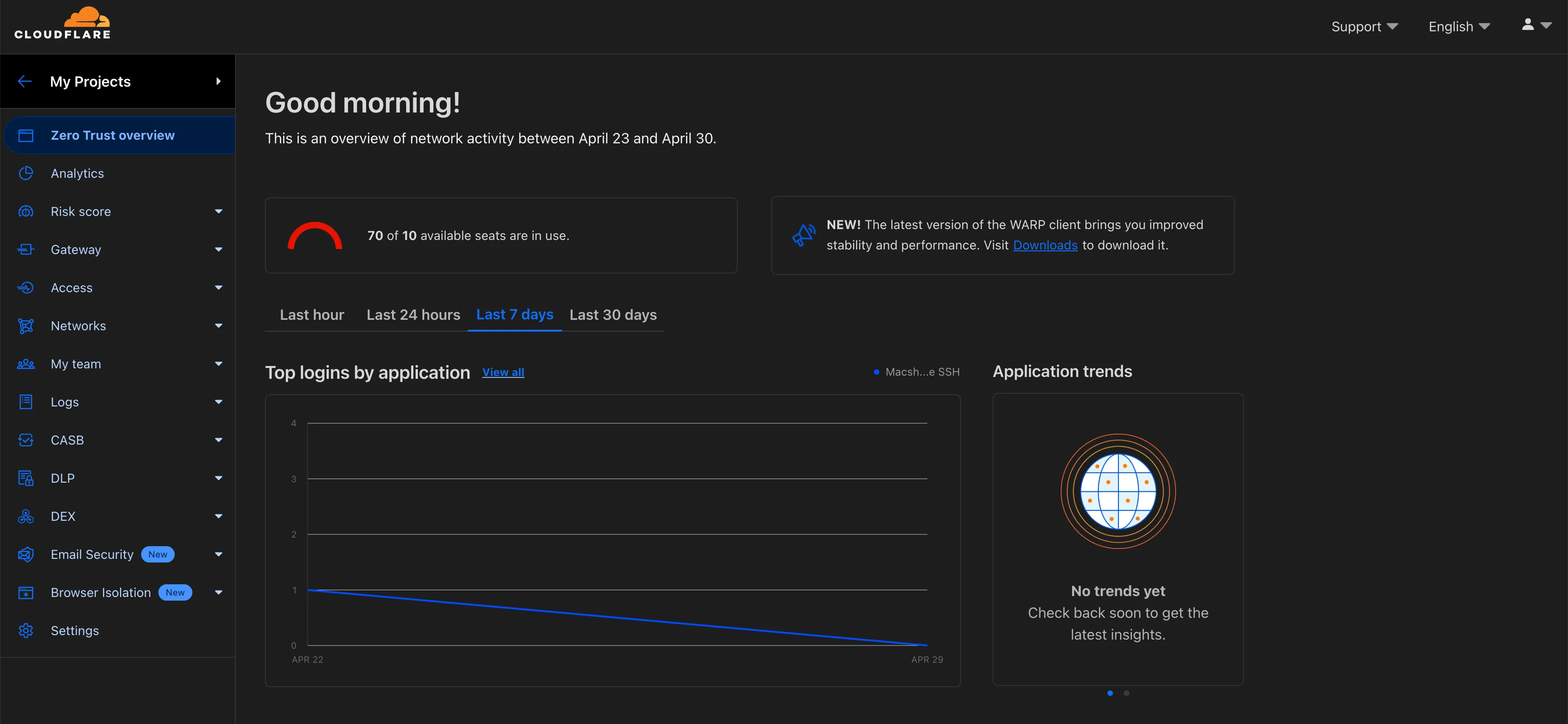
To update your view preference in the Zero Trust dashboard:
- Log into the Zero Trust dashboard ↗.
- Select your user icon.
- Select Dark Mode.
To update your view preference in the Core dashboard:
- Log into the Cloudflare dashboard ↗.
- Go to My Profile
- For Appearance, choose Dark.
Source: original entry ↗
More from Cloudflare
Follow Cloudflare to get its new changes in your feed and email digest.
Cloudflare One Client for Windows hotfix - trusted certificate chains
A new GA release for Windows Cloudflare One Client is available, addressing an issue with building trusted certificate chains.
Cloudflare One Client for macOS - Trusted Certificate Chain Fix
A new GA release of the macOS Cloudflare One Client is available. This hotfix addresses an issue with building trusted certificate chains.
Cloudflare One Client for Linux
A new GA release of Cloudflare One Client for Linux is now available. This hotfix addresses an issue with building trusted certificate chains.