Deploy to Workers without a config file using wrangler deploy
Wrangler 4.68.0 now auto-detects your framework and deploys projects to Cloudflare Workers without requiring a configuration file. Running wrangler deploy automatically installs adapters, generates a wrangler.jsonc file, and handles deployment.
You can now deploy any existing project to Cloudflare Workers — even without a Wrangler configuration file — and wrangler deploy will just work.
Starting with Wrangler 4.68.0, running wrangler deploy automatically configures your project by detecting your framework, installing required adapters, and deploying it to Cloudflare Workers.
Using Wrangler locally
npx wrangler deployWhen you run wrangler deploy in a project without a configuration file, Wrangler:
- Detects your framework from
package.json - Prompts you to confirm the detected settings
- Installs any required adapters
- Generates a
wrangler.jsoncconfiguration file - Deploys your project to Cloudflare Workers
You can also use wrangler setup to configure without deploying, or pass --yes to skip prompts.
Using the Cloudflare dashboard
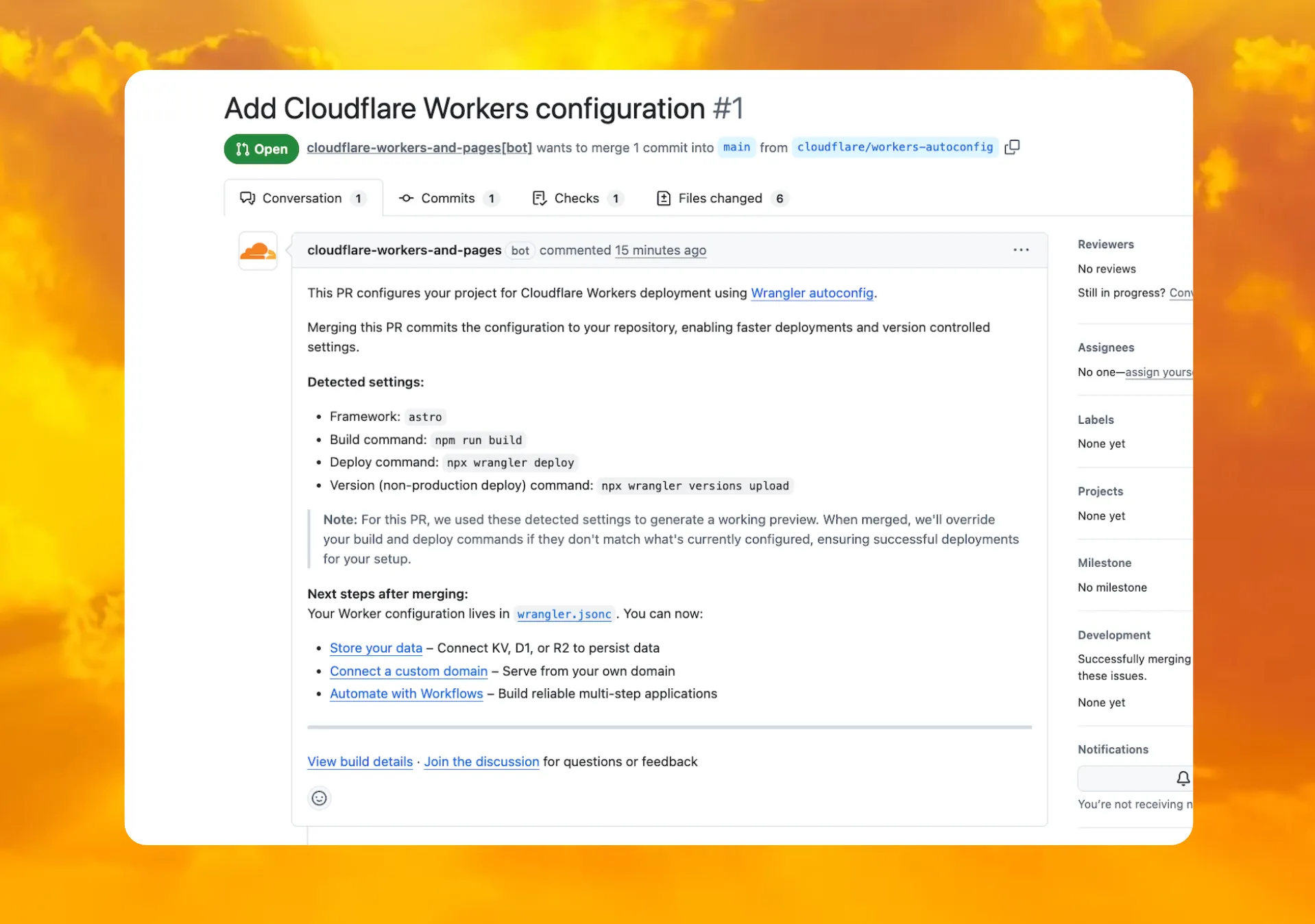
When you connect a repository through the Workers dashboard ↗, a pull request is generated for you with all necessary files, and a preview deployment to check before merging.
Note
A pull request is only generated when your deploy command is npx wrangler deploy. If you use a custom deploy command, automatic configuration still runs but a PR is not created.
Background
In December 2025, we introduced automatic configuration as an experimental feature. It is now generally available and the default behavior.
If you have questions or run into issues, join the GitHub discussion ↗.
Source: original entry ↗
More from Cloudflare
Follow Cloudflare to get its new changes in your feed and email digest.
Cloudflare One Client for macOS 2026.8.2100.0
GA release for macOS Cloudflare One Client with improved split tunnel handling that no longer briefly blocks traffic during reconnects, support for non-RFC 1918 local IPv4 networks, faster connects with lower memory use, and numerous reliability fixes across DNS, reauthentication, and client stability.
Cloudflare One Client for Windows 2026.8.2100.0
This GA release improves split tunnel reliability, adds support for non-RFC 1918 local networks, optimizes connection performance with faster reconnections and lower memory usage, and includes numerous bug fixes for DNS, registration, and network handling. The client now features a service recovery mechanism that automatically restarts on system unlock and better handles large hosts files without blocking traffic.
Cloudflare One Client for Linux 2026.8.2100.0
New GA release for Linux with improved split tunnel handling that no longer briefly blocks traffic during reconnects, support for non-RFC 1918 local IPv4 networks, faster tunnel reconnections, and lower memory usage. Includes numerous stability and reliability fixes for DNS, reconnection behavior, and crash issues.