Logs UI refresh for Access and Gateway
Access authentication logs and Gateway activity logs now feature a refreshed user interface with improved filtering, customizable fields, and performance optimizations. Users can filter by field values, choose which fields to display, view full log details, and switch back to the classic view if needed.
Access authentication logs and Gateway activity logs (DNS, Network, and HTTP) now feature a refreshed user interface that gives you more flexibility when viewing and analyzing your logs.
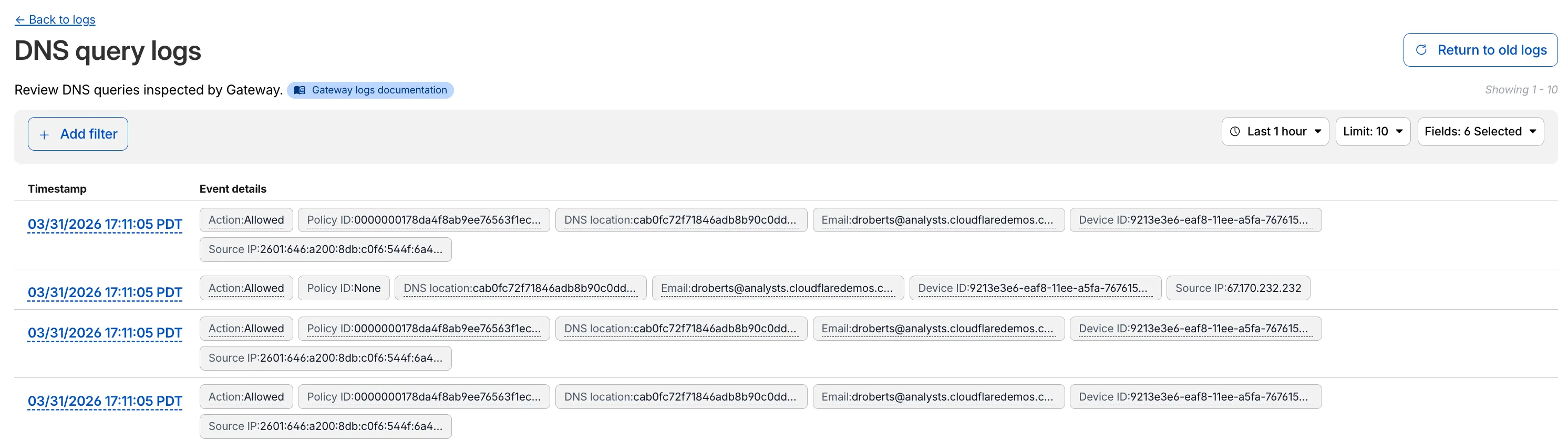
The updated UI includes:
- Filter by field - Select any field value to add it as a filter and narrow down your results.
- Customizable fields - Choose which fields to display in the log table. Querying for fewer fields improves log loading performance.
- View details - Select a timestamp to view the full details of a log entry.
- Switch to classic view - Return to the previous log viewer interface if needed.
For more information, refer to Access authentication logs and Gateway activity logs.
Source: original entry ↗
More from Cloudflare
Follow Cloudflare to get its new changes in your feed and email digest.
Cloudflare One Client for Windows hotfix - trusted certificate chains
A new GA release for Windows Cloudflare One Client is available, addressing an issue with building trusted certificate chains.
Cloudflare One Client for macOS - Trusted Certificate Chain Fix
A new GA release of the macOS Cloudflare One Client is available. This hotfix addresses an issue with building trusted certificate chains.
Cloudflare One Client for Linux
A new GA release of Cloudflare One Client for Linux is now available. This hotfix addresses an issue with building trusted certificate chains.