New onboarding guides for Cloudflare Zero Trust
Cloudflare has launched eight new onboarding guides for Zero Trust that walk users through setting up common use cases like private network access, device networking, DNS security, and clientless web/SSH/RDP access. Each guide includes step-by-step configuration and contextual information to help users understand what they're setting up and why.
Use our brand new onboarding experience for Cloudflare Zero Trust. New and returning users can now engage with a Get Started tab with walkthroughs for setting up common use cases end-to-end.
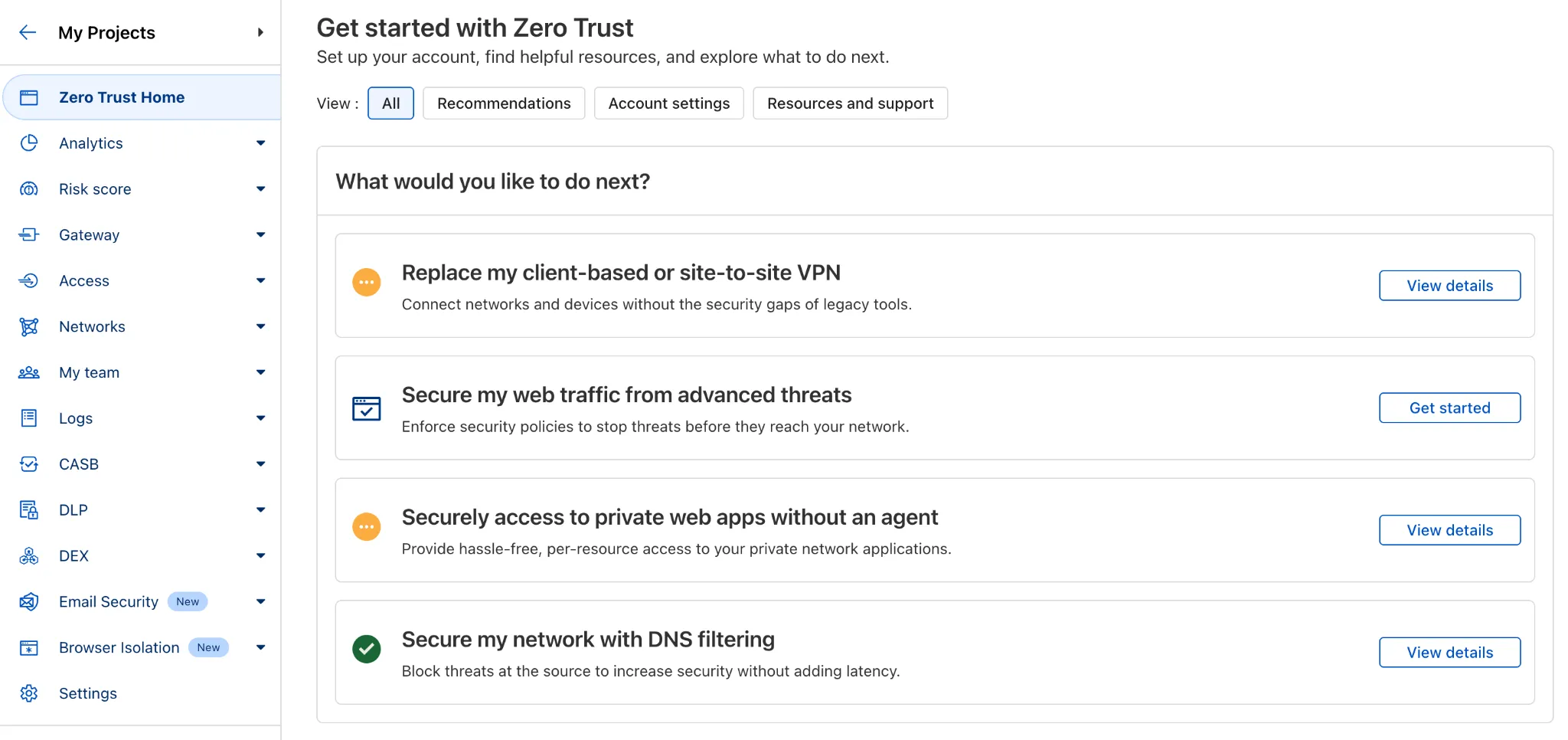
There are eight brand new onboarding guides in total:
- Securely access a private network (sets up device client and Tunnel)
- Device-to-device / mesh networking (sets up and connects multiple device clients)
- Network to network connectivity (sets up and connects multiple WARP Connectors, makes reference to Magic WAN availability for Enterprise)
- Secure web traffic (sets up device client, Gateway, pre-reqs, and initial policies)
- Secure DNS for networks (sets up a new DNS location and Gateway policies)
- Clientless web access (sets up Access to a web app, Tunnel, and public hostname)
- Clientless SSH access (all the same + the web SSH experience)
- Clientless RDP access (all the same + RDP-in-browser)
Each flow walks the user through the steps to configure the essential elements, and provides a “more details” panel with additional contextual information about what the user will accomplish at the end, along with why the steps they take are important.
Try them out now in the Zero Trust dashboard ↗!
Source: original entry ↗
More from Cloudflare
Follow Cloudflare to get its new changes in your feed and email digest.
Cloudflare One Client for macOS 2026.8.2100.0
GA release for macOS Cloudflare One Client with improved split tunnel handling that no longer briefly blocks traffic during reconnects, support for non-RFC 1918 local IPv4 networks, faster connects with lower memory use, and numerous reliability fixes across DNS, reauthentication, and client stability.
Cloudflare One Client for Windows 2026.8.2100.0
This GA release improves split tunnel reliability, adds support for non-RFC 1918 local networks, optimizes connection performance with faster reconnections and lower memory usage, and includes numerous bug fixes for DNS, registration, and network handling. The client now features a service recovery mechanism that automatically restarts on system unlock and better handles large hosts files without blocking traffic.
Cloudflare One Client for Linux 2026.8.2100.0
New GA release for Linux with improved split tunnel handling that no longer briefly blocks traffic during reconnects, support for non-RFC 1918 local IPv4 networks, faster tunnel reconnections, and lower memory usage. Includes numerous stability and reliability fixes for DNS, reconnection behavior, and crash issues.