New Overview Page for Cloudflare Workers
Cloudflare Workers now features a new overview page in the dashboard that provides a centralized view of worker status, requests, errors, CPU time, bindings, and recent versions. The page simplifies navigation with distinct tabs and contextual guidance for next steps.
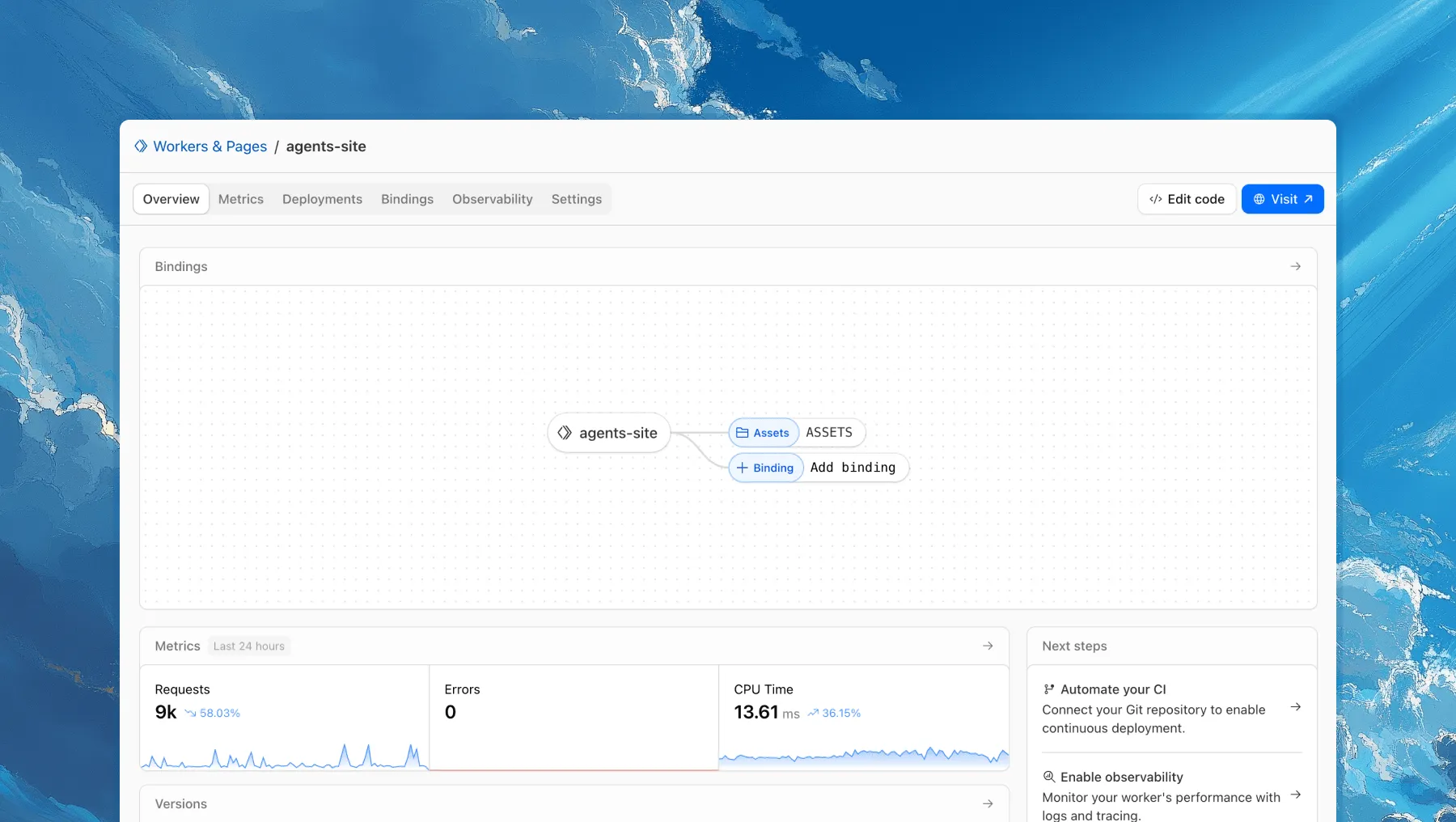
Each of your Workers now has a new overview page in the Cloudflare dashboard.
The goal is to make it easier to understand your Worker without digging through multiple tabs. Think of it as a new home base, a place to get a high-level overview on what's going on.
It's the first place you land when you open a Worker in the dashboard, and it gives you an immediate view of what’s going on. You can see requests, errors, and CPU time at a glance. You can view and add bindings, and see recent versions of your app, including who published them.
Navigation is also simpler, with visually distinct tabs at the top of the page. At the bottom right you'll find guided steps for what to do next that are based on the state of your Worker, such as adding a binding or connecting a custom domain.
We plan to add more here over time. Better insights, more controls, and ways to manage your Worker from one page.
If you have feedback or suggestions for the new Overview page or your Cloudflare Workers experience in general, we'd love to hear from you. Join the Cloudflare developer community on Discord ↗.
Source: original entry ↗
More from Cloudflare
Follow Cloudflare to get its new changes in your feed and email digest.
Cloudflare One Client for macOS 2026.8.2100.0
GA release for macOS Cloudflare One Client with improved split tunnel handling that no longer briefly blocks traffic during reconnects, support for non-RFC 1918 local IPv4 networks, faster connects with lower memory use, and numerous reliability fixes across DNS, reauthentication, and client stability.
Cloudflare One Client for Windows 2026.8.2100.0
This GA release improves split tunnel reliability, adds support for non-RFC 1918 local networks, optimizes connection performance with faster reconnections and lower memory usage, and includes numerous bug fixes for DNS, registration, and network handling. The client now features a service recovery mechanism that automatically restarts on system unlock and better handles large hosts files without blocking traffic.
Cloudflare One Client for Linux 2026.8.2100.0
New GA release for Linux with improved split tunnel handling that no longer briefly blocks traffic during reconnects, support for non-RFC 1918 local IPv4 networks, faster tunnel reconnections, and lower memory usage. Includes numerous stability and reliability fixes for DNS, reconnection behavior, and crash issues.