Playwright MCP server now compatible with Browser Rendering
The Playwright MCP server is now compatible with Cloudflare Browser Rendering, allowing you to use MCP clients to automate browser tasks like screenshots, form filling, and data scraping with AI models. The package is available on npm as @cloudflare/playwright-mcp.
We're excited to share that you can now use the Playwright MCP ↗ server with Browser Rendering.
Once you deploy the server, you can use any MCP client with it to interact with Browser Rendering. This allows you to run AI models that can automate browser tasks, such as taking screenshots, filling out forms, or scraping data.
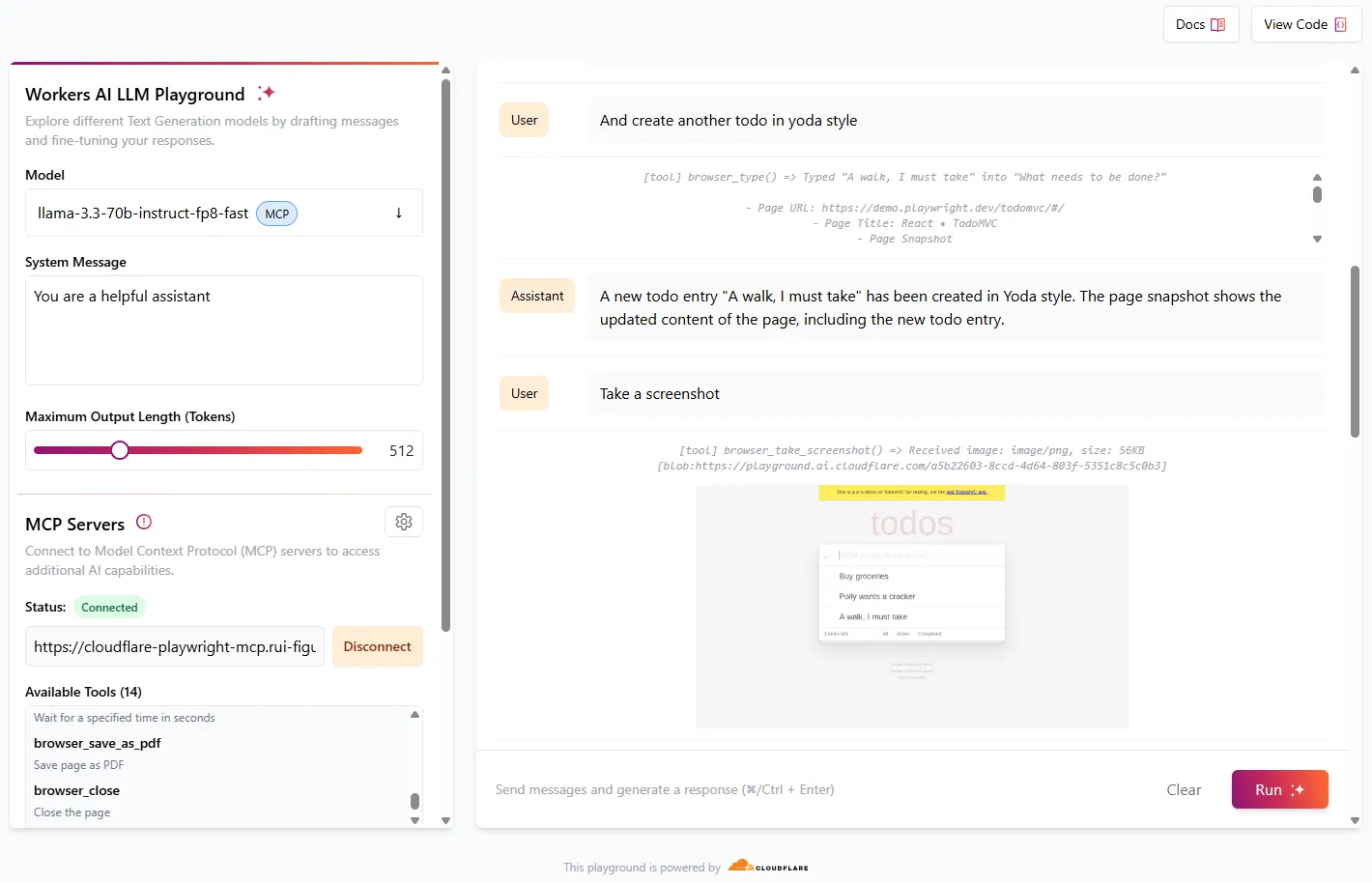
Playwright MCP is available as an npm package at @cloudflare/playwright-mcp ↗. To install it, type:
npm i -D @cloudflare/playwright-mcpyarn add -D @cloudflare/playwright-mcppnpm add -D @cloudflare/playwright-mcpbun add -d @cloudflare/playwright-mcpDeploying the server is then as easy as:
import { env } from "cloudflare:workers";
import { createMcpAgent } from "@cloudflare/playwright-mcp";

export const PlaywrightMCP = createMcpAgent(env.BROWSER);
export default PlaywrightMCP.mount("/sse");
Check out the full code at GitHub ↗.
Learn more about Playwright MCP in our documentation.
Source: original entry ↗
More from Cloudflare
Follow Cloudflare to get its new changes in your feed and email digest.
Cloudflare One Client for Windows hotfix - trusted certificate chains
A new GA release for Windows Cloudflare One Client is available, addressing an issue with building trusted certificate chains.
Cloudflare One Client for macOS - Trusted Certificate Chain Fix
A new GA release of the macOS Cloudflare One Client is available. This hotfix addresses an issue with building trusted certificate chains.
Cloudflare One Client for Linux
A new GA release of Cloudflare One Client for Linux is now available. This hotfix addresses an issue with building trusted certificate chains.