Queues - New Pause & Purge APIs
Cloudflare Queues now supports pause and purge operations to temporarily stop message delivery or permanently delete all messages in a queue. This helps manage consumer bugs, invalid messages, or stale backlogs via Wrangler CLI, REST API, or the dashboard.
Queues now supports the ability to pause message delivery and/or purge (delete) messages on a queue. These operations can be useful when:
- Your consumer has a bug or downtime, and you want to temporarily stop messages from being processed while you fix the bug
- You have pushed invalid messages to a queue due to a code change during development, and you want to clean up the backlog
- Your queue has a backlog that is stale and you want to clean it up to allow new messages to be consumed
To pause a queue using Wrangler, run the pause-delivery command. Paused queues continue to receive messages. And you can easily unpause a queue using the resume-delivery command.
$ wrangler queues pause-delivery my-queue
Pausing message delivery for queue my-queue.
Paused message delivery for queue my-queue.

$ wrangler queues resume-delivery my-queue
Resuming message delivery for queue my-queue.
Resumed message delivery for queue my-queue.
Purging a queue permanently deletes all messages in the queue. Unlike pausing, purging is an irreversible operation:
Purge a queuebash$ wrangler queues purge my-queue
✔ This operation will permanently delete all the messages in queue my-queue. Type my-queue to proceed. … my-queue
Purged queue 'my-queue'You can also do these operations using the Queues REST API, or the dashboard page for a queue.
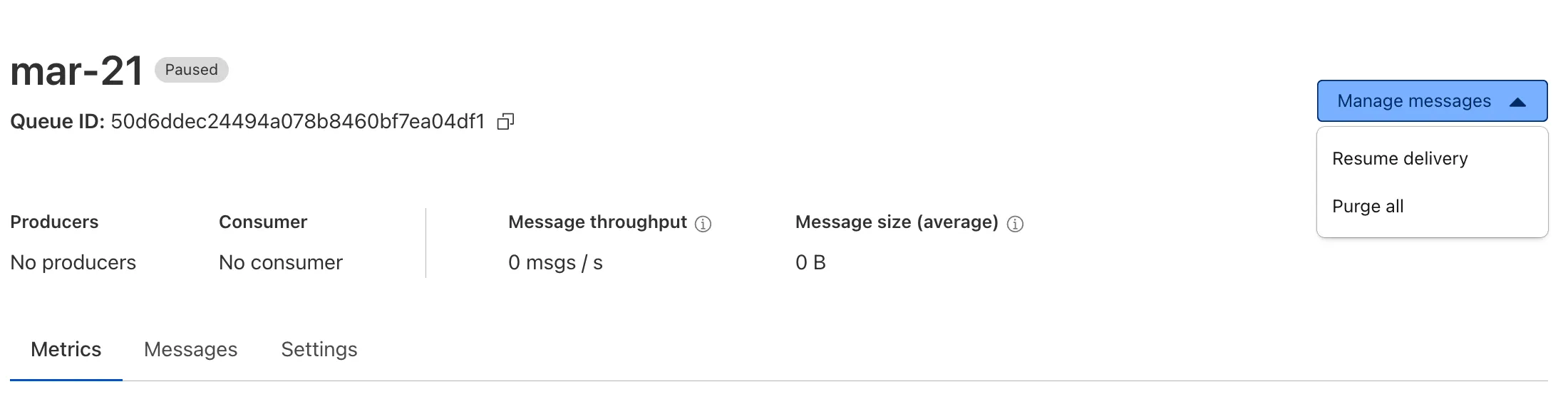
This feature is available on all new and existing queues. Head over to the pause and purge documentation to learn more. And if you haven't used Cloudflare Queues before, get started with the Cloudflare Queues guide.
Source: original entry ↗
More from Cloudflare
Follow Cloudflare to get its new changes in your feed and email digest.
Cloudflare One Client for macOS 2026.8.2100.0
GA release for macOS Cloudflare One Client with improved split tunnel handling that no longer briefly blocks traffic during reconnects, support for non-RFC 1918 local IPv4 networks, faster connects with lower memory use, and numerous reliability fixes across DNS, reauthentication, and client stability.
Cloudflare One Client for Windows 2026.8.2100.0
This GA release improves split tunnel reliability, adds support for non-RFC 1918 local networks, optimizes connection performance with faster reconnections and lower memory usage, and includes numerous bug fixes for DNS, registration, and network handling. The client now features a service recovery mechanism that automatically restarts on system unlock and better handles large hosts files without blocking traffic.
Cloudflare One Client for Linux 2026.8.2100.0
New GA release for Linux with improved split tunnel handling that no longer briefly blocks traffic during reconnects, support for non-RFC 1918 local IPv4 networks, faster tunnel reconnections, and lower memory usage. Includes numerous stability and reliability fixes for DNS, reconnection behavior, and crash issues.