Require Access protection for zones
Cloudflare One Access now allows you to enforce protection for all hostnames in your account, automatically blocking traffic to any hostname without a matching Access application. This deny-by-default approach prevents accidental exposure of internal resources to the public Internet.
You can now require Cloudflare Access protection for all hostnames in your account. When enabled, traffic to any hostname that does not have a matching Access application is automatically blocked.
This deny-by-default approach prevents accidental exposure of internal resources to the public Internet. If a developer deploys a new application or creates a DNS record without configuring an Access application, the traffic is blocked rather than exposed.
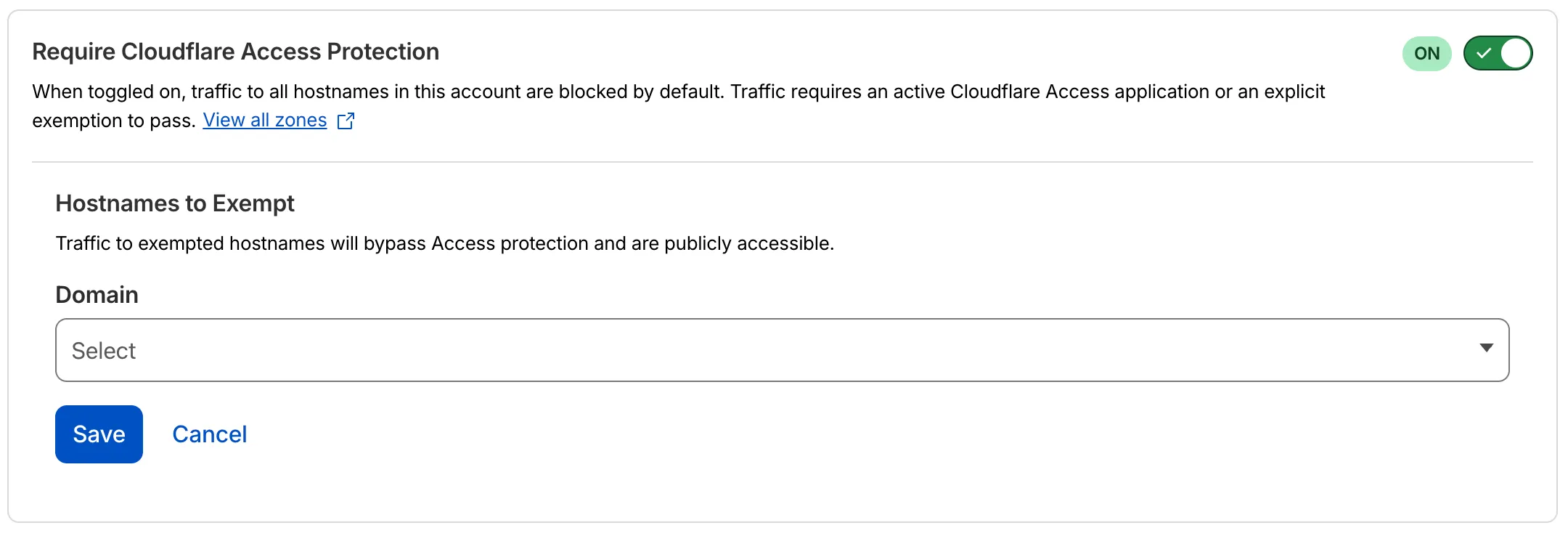
How it works
- Blocked by default: Traffic to all hostnames in the account is blocked unless an Access application exists for that hostname.
- Explicit access required: To allow traffic, create an Access application with an Allow or Bypass policy.
- Hostname exemptions: You can exempt specific hostnames from this requirement.
To turn on this feature, refer to Require Access protection.
Source: original entry ↗
More from Cloudflare
Follow Cloudflare to get its new changes in your feed and email digest.
Cloudflare One Client for Windows hotfix - trusted certificate chains
A new GA release for Windows Cloudflare One Client is available, addressing an issue with building trusted certificate chains.
Cloudflare One Client for macOS - Trusted Certificate Chain Fix
A new GA release of the macOS Cloudflare One Client is available. This hotfix addresses an issue with building trusted certificate chains.
Cloudflare One Client for Linux
A new GA release of Cloudflare One Client for Linux is now available. This hotfix addresses an issue with building trusted certificate chains.