Secrets Store integration with AI Gateway for secure key management
Cloudflare Secrets Store is now integrated with AI Gateway, allowing you to securely store, manage, and deploy AI provider keys through Bring Your Own Key (BYOK). Instead of passing keys directly in request headers, you can centrally manage secrets and reference them in your gateway configuration, eliminating the need to pass sensitive values in plain text.
Cloudflare Secrets Store is now integrated with AI Gateway, allowing you to store, manage, and deploy your AI provider keys in a secure and seamless configuration through Bring Your Own Key ↗. Instead of passing your AI provider keys directly in every request header, you can centrally manage each key with Secrets Store and deploy in your gateway configuration using only a reference, rather than passing the value in plain text.
You can now create a secret directly from your AI Gateway in the dashboard ↗ by navigating into your gateway -> Provider Keys -> Add.
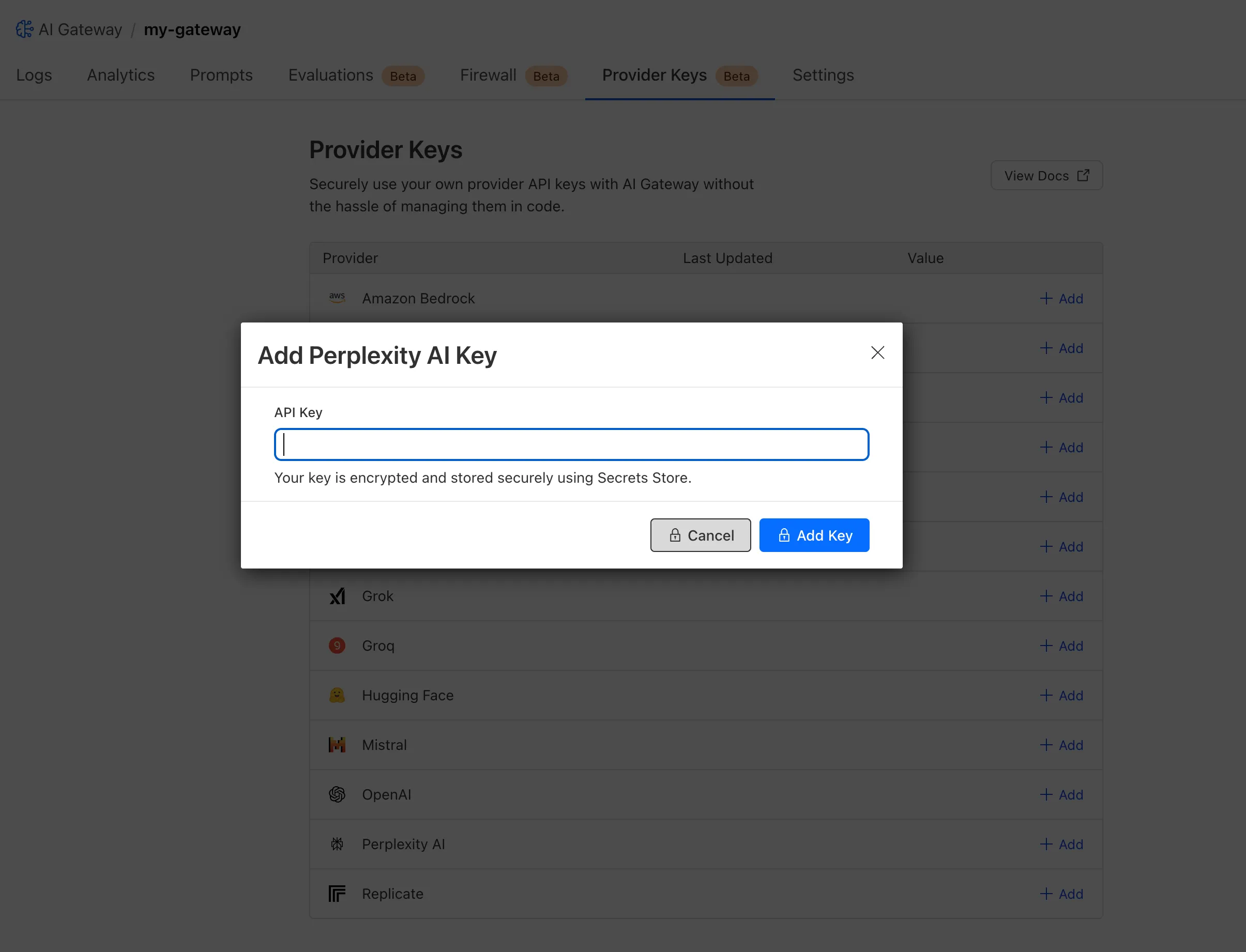
You can also create your secret with the newly available ai_gateway scope via wrangler ↗, the Secrets Store dashboard ↗, or the API ↗.
Then, pass the key in the request header using its Secrets Store reference:
curl -X POST https://gateway.ai.cloudflare.com/v1/<ACCOUNT_ID>/my-gateway/anthropic/v1/messages \
 --header 'cf-aig-authorization: ANTHROPIC_KEY_1 \
 --header 'anthropic-version: 2023-06-01' \
 --header 'Content-Type: application/json' \
 --data  '{"model": "claude-3-opus-20240229", "messages": [{"role": "user", "content": "What is Cloudflare?"}]}'
Or, using Javascript:
import Anthropic from '@anthropic-ai/sdk';


const anthropic = new Anthropic({
 apiKey: "ANTHROPIC_KEY_1",
 baseURL: "https://gateway.ai.cloudflare.com/v1/<ACCOUNT_ID>/my-gateway/anthropic",
});


const message = await anthropic.messages.create({
 model: 'claude-3-opus-20240229',
 messages: [{role: "user", content: "What is Cloudflare?"}],
 max_tokens: 1024
});
For more information, check out the blog ↗!
Source: original entry ↗
More from Cloudflare
Follow Cloudflare to get its new changes in your feed and email digest.
Cloudflare One Client for macOS 2026.8.2100.0
GA release for macOS Cloudflare One Client with improved split tunnel handling that no longer briefly blocks traffic during reconnects, support for non-RFC 1918 local IPv4 networks, faster connects with lower memory use, and numerous reliability fixes across DNS, reauthentication, and client stability.
Cloudflare One Client for Windows 2026.8.2100.0
This GA release improves split tunnel reliability, adds support for non-RFC 1918 local networks, optimizes connection performance with faster reconnections and lower memory usage, and includes numerous bug fixes for DNS, registration, and network handling. The client now features a service recovery mechanism that automatically restarts on system unlock and better handles large hosts files without blocking traffic.
Cloudflare One Client for Linux 2026.8.2100.0
New GA release for Linux with improved split tunnel handling that no longer briefly blocks traffic during reconnects, support for non-RFC 1918 local IPv4 networks, faster tunnel reconnections, and lower memory usage. Includes numerous stability and reliability fixes for DNS, reconnection behavior, and crash issues.