Security Center - Real-time alerts and daily digests for Threat Events
Cloudflare Security Center now supports custom alerts and daily digests for threat event monitoring. Users can set up real-time notifications or summarized reports that trigger when new data matches saved filters, enabling proactive threat tracking without manual dashboard checks.
You can now automate your threat monitoring by setting up custom alerts in your saved views. Instead of manually checking the dashboard for updates, you can subscribe to notifications that trigger whenever new data matches your specific filter sets, like new activity associated to a particular threat actor or spikes in activity within your industry.
Stay ahead of emerging threats
By linking your saved views to the Cloudflare Notifications Center, you can ensure the right information reaches your team at the right time.
-
Immediate Alerts: receive real-time notifications the moment a critical event is detected that matches your saved criteria. This is essential for high-priority monitoring, such as tracking active campaigns from specific APT groups.
-
Daily Digests: opt for a summarized report delivered once a day. This is ideal for maintaining situational awareness of broader trends, like regional activity shifts or industry-wide threat landscapes, without cluttering your inbox.
How to get started
To set up an alert, go to Application Security > Threat Intelligence > Threat Events. From there:
- Choose your datasets and apply your desired filters and select Save View (or select an existing one).
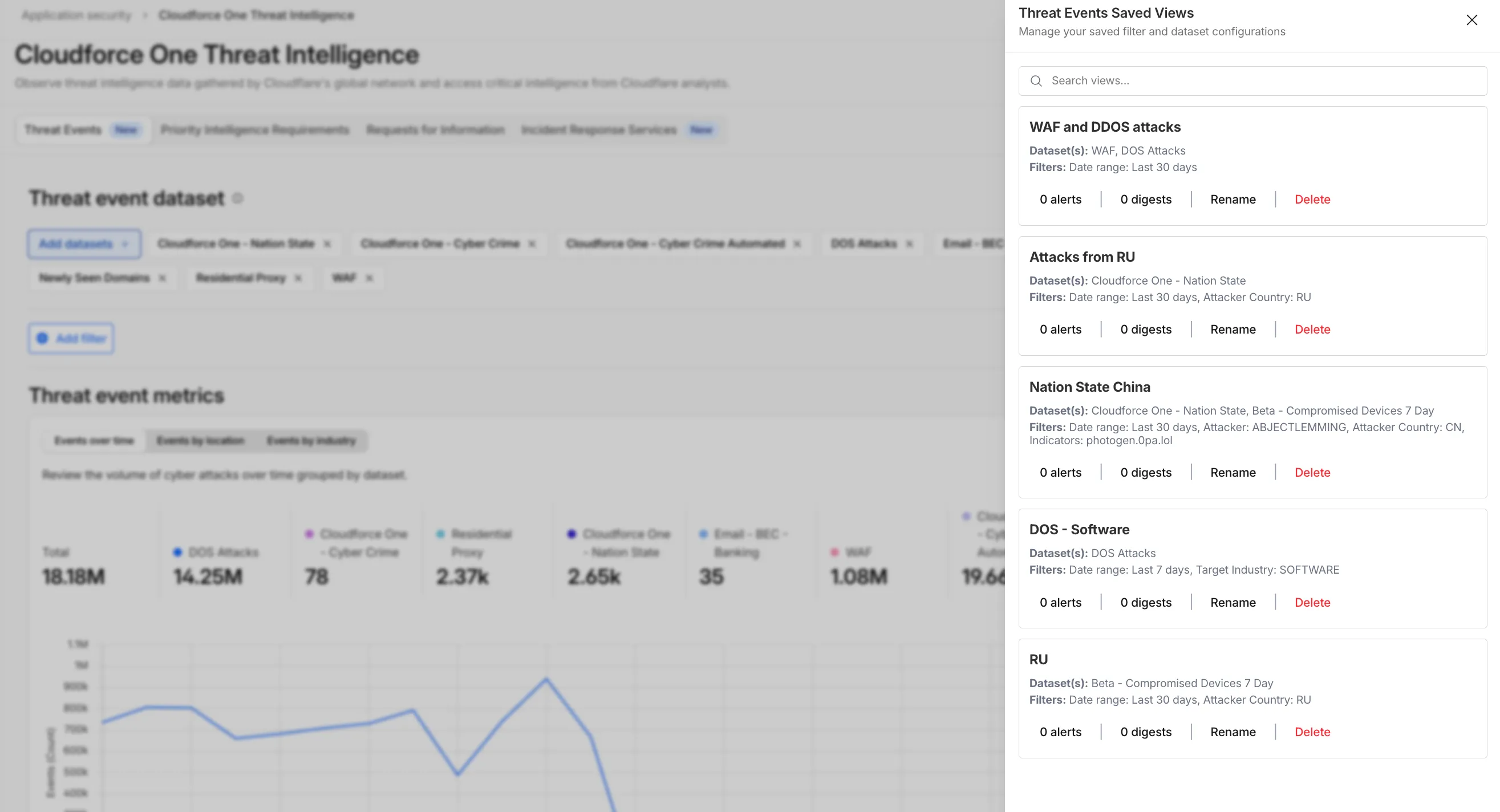
- Open the Manage Saved Views menu.
- Select Add Alert next to your chosen view to configure your notification preferences in the Cloudflare dashboard.
For more technical details on configuring notifications, refer to the Threat Events documentation.
Source: original entry ↗
More from Cloudflare
Follow Cloudflare to get its new changes in your feed and email digest.
Cloudflare One Client for macOS 2026.8.2100.0
GA release for macOS Cloudflare One Client with improved split tunnel handling that no longer briefly blocks traffic during reconnects, support for non-RFC 1918 local IPv4 networks, faster connects with lower memory use, and numerous reliability fixes across DNS, reauthentication, and client stability.
Cloudflare One Client for Windows 2026.8.2100.0
This GA release improves split tunnel reliability, adds support for non-RFC 1918 local networks, optimizes connection performance with faster reconnections and lower memory usage, and includes numerous bug fixes for DNS, registration, and network handling. The client now features a service recovery mechanism that automatically restarts on system unlock and better handles large hosts files without blocking traffic.
Cloudflare One Client for Linux 2026.8.2100.0
New GA release for Linux with improved split tunnel handling that no longer briefly blocks traffic during reconnects, support for non-RFC 1918 local IPv4 networks, faster tunnel reconnections, and lower memory usage. Includes numerous stability and reliability fixes for DNS, reconnection behavior, and crash issues.