Workers automatic tracing now in open beta
Cloudflare Workers now supports automatic tracing in open beta, providing detailed metadata and timing information for every operation. Users can view traces in the Workers Observability dashboard, export to OTLP-compatible destinations, and analyze performance bottlenecks and errors across their applications.
Enable automatic tracing on your Workers, giving you detailed metadata and timing information for every operation your Worker performs.
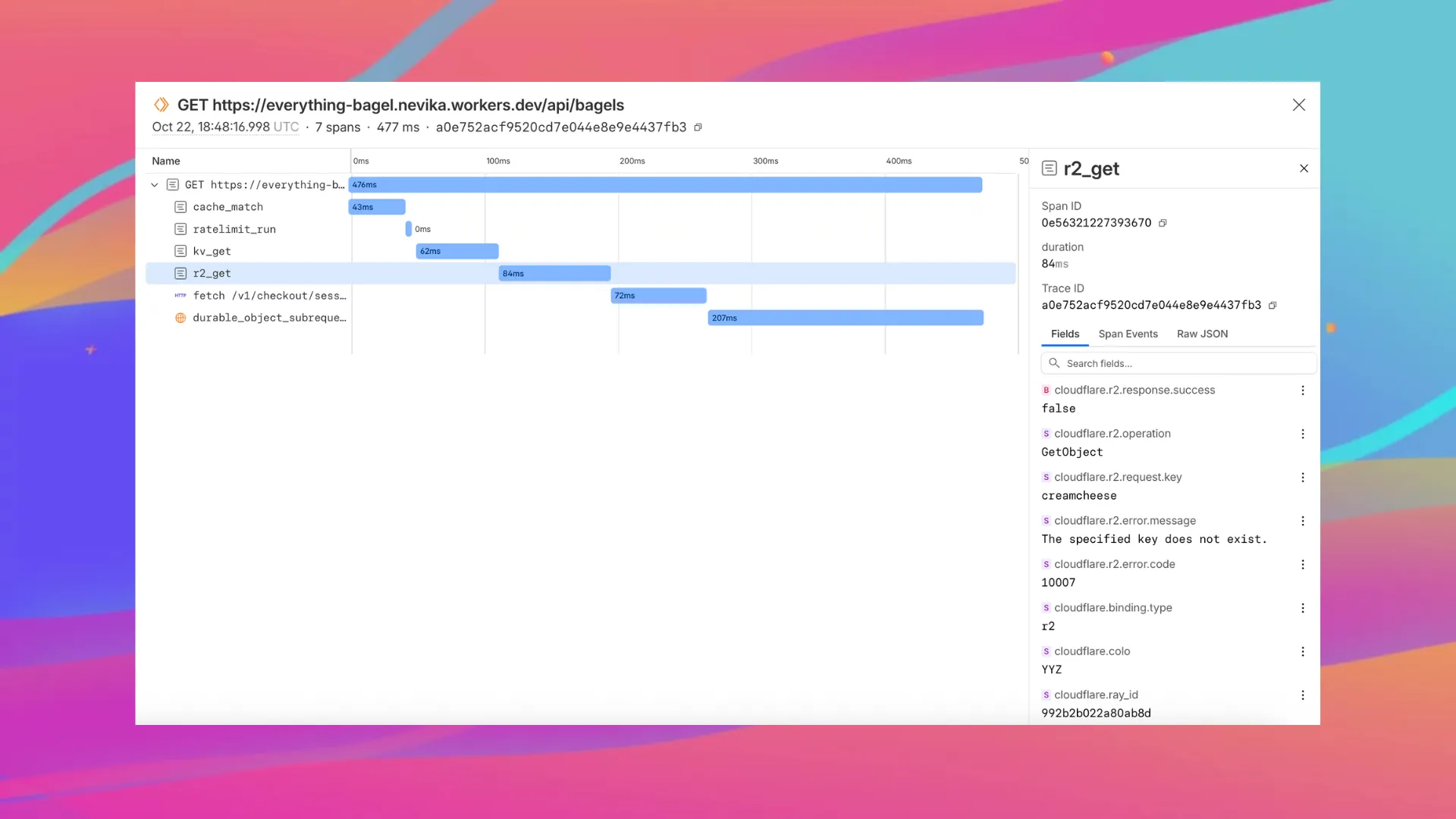
Tracing helps you identify performance bottlenecks, resolve errors, and understand how your Worker interacts with other services on the Workers platform. You can now answer questions like:
- Which calls are slowing down my application?
- Which queries to my database take the longest?
- What happened within a request that resulted in an error?
You can now:
- View traces alongside your logs in the Workers Observability dashboard
- Export traces (and correlated logs) to any OTLP-compatible destination ↗, such as Honeycomb, Sentry or Grafana, by configuring a tracing destination in the Cloudflare dashboard ↗
- Analyze and query across span attributes (operation type, status, duration, errors)
To get started, set:
{
	"observability": {
		"traces": {
			"enabled": true,
		},
	},
}
Note
In the future, Cloudflare plans to enable automatic tracing in addition to logs
when you set observability.enabled = true in your Wrangler configuration.
While automatic tracing is in early beta, this setting will not enable tracing by default, and will only enable logs.
An updated compatibility_date will be required for this change to take effect.
Want to learn more?
Source: original entry ↗
More from Cloudflare
Follow Cloudflare to get its new changes in your feed and email digest.
Cloudflare One Client for macOS 2026.8.2100.0
GA release for macOS Cloudflare One Client with improved split tunnel handling that no longer briefly blocks traffic during reconnects, support for non-RFC 1918 local IPv4 networks, faster connects with lower memory use, and numerous reliability fixes across DNS, reauthentication, and client stability.
Cloudflare One Client for Windows 2026.8.2100.0
This GA release improves split tunnel reliability, adds support for non-RFC 1918 local networks, optimizes connection performance with faster reconnections and lower memory usage, and includes numerous bug fixes for DNS, registration, and network handling. The client now features a service recovery mechanism that automatically restarts on system unlock and better handles large hosts files without blocking traffic.
Cloudflare One Client for Linux 2026.8.2100.0
New GA release for Linux with improved split tunnel handling that no longer briefly blocks traffic during reconnects, support for non-RFC 1918 local IPv4 networks, faster tunnel reconnections, and lower memory usage. Includes numerous stability and reliability fixes for DNS, reconnection behavior, and crash issues.